Console Vs PC Gaming - Which Offers The Best Experience?
The ongoing debate between PC and console gamingis as old as gaming itself. As both platforms continue to evolve with new technology, choosing between them can be overwhelming.
With both offering incredible experiences, gamers must consider various factors like cost, performance, customization, and game librariesto make an informed decision.
In this article, we'll break down the strengths and weaknesses of both PCsand consoles, comparing everything from multiplayer gamingto game genre suitability.
Whether you're a seasoned gamer or just starting out, understanding the key differences will help you figure out which platform suits your gaming style best.
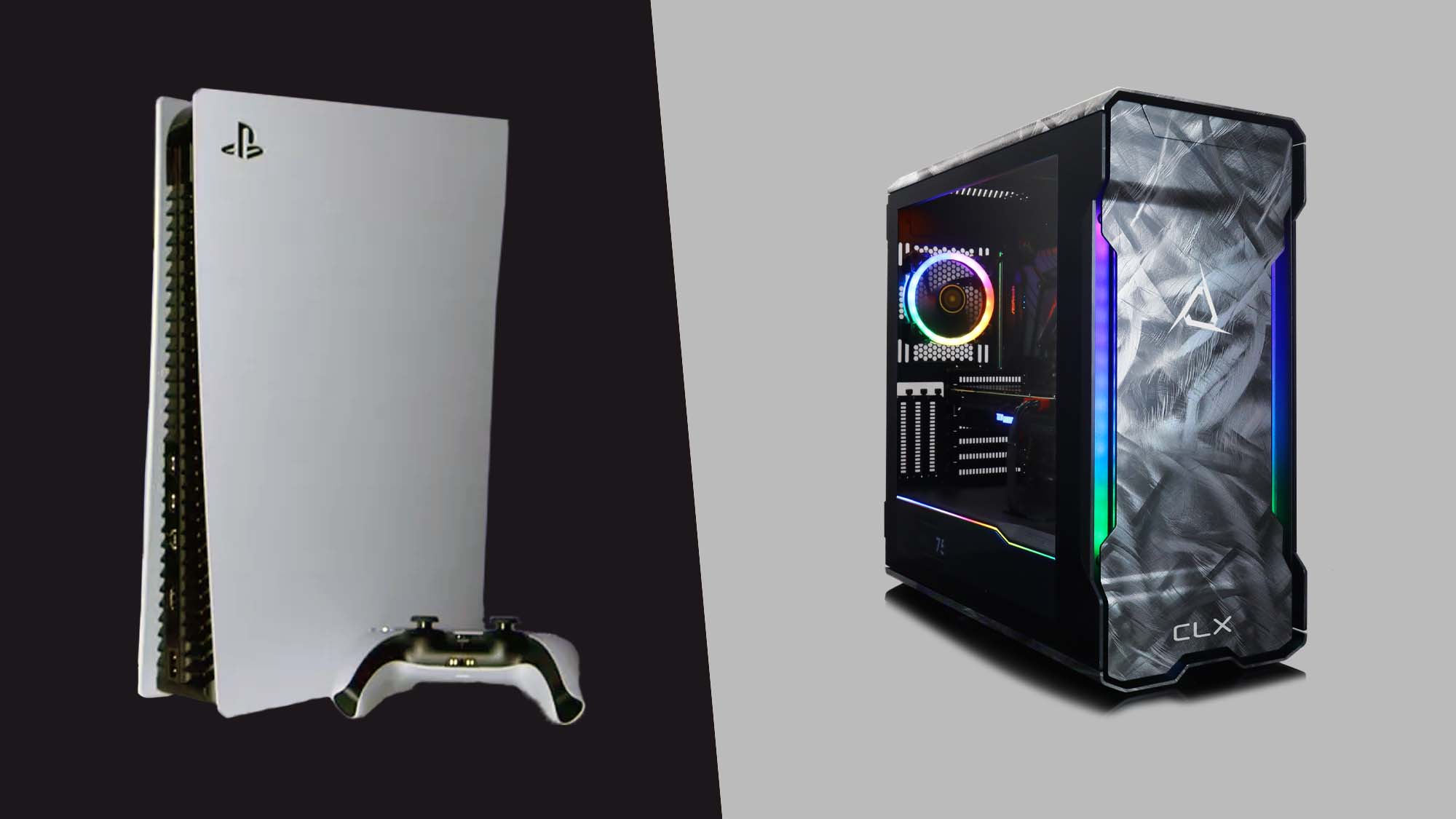
Budget: Cost Efficiency And Long-Term Value
When it comes to upfront cost, consoles generally win with prices ranging from $500 to $600for the latest models like the PlayStation 5or Xbox Series X. In contrast, building a high-performance gaming PCcan cost upwards of $1,500 to $2,000, depending on your setup.
While PCs have higher initial costs, they also have long-term savingsthrough cheaper games and the ability to upgrade individual componentsover time.
For example, platforms like Steamoften offer seasonal saleswith steep discounts, allowing gamers to build a large library at a fraction of the price.
On the other hand, console gamers may need to subscribe to services like Xbox Game Passor PlayStation Plusfor multiplayer gaming and access to exclusive titles, which can add to the overall cost over time.
Key Takeaway:
- Consoles: Cheaper upfront but could accumulate extra costs (subscriptions, upgrades).
- PCs: Expensive upfront, but cheaper games and upgrades can make it more cost-efficient long-term.
See Also: Top Gaming Consoles For Serious Gamers [<year> Best Picks]
Ease Of Use: Simplicity Vs Complexity
The plug-and-play simplicityof consoles makes them a favorite for gamers who want to jump into their games immediately. Just connect to a TV, grab a controller, and you’re good to go.
Features like "quick resume"on the Xbox Series X|Sand PlayStation 5let you pick up right where you left off without waiting for long load times.
On the other hand, PC gaming requires more technical knowledge. Gamers need to deal with software drivers, hardware compatibility, and sometimes even updates to the system's BIOS.
For example, installing the latest graphics driversfor your GPU is critical for smooth gameplay on a PC, but it adds an extra layer of complexity that console gamers don’t have to worry about.
Key Takeaway:
- Consoles: Easy to set up and use, perfect for casual gamers.
- PCs: More complex but offers more flexibility and control for tech-savvy users.
Customization: Personalizing Your Setup
One of the biggest advantagesof PC gaming is the ability to customize your hardware. From choosing high-end graphics cards (GPUs)to upgrading RAMand even designing your PC casewith RGB lighting, the options are nearly limitless.
Want to boost your frame rates or increase load times? You can swap out a GPUor add an NVMe SSDfor quicker load speeds.
Consoles, however, are more limited in customization. You can change external peripherals, such as using wireless controllersor expanding storage with SSDs, but the internal components remain fixed throughout the console’s lifespan.
This makes consoles more straightforward but less flexible in terms of performance upgrades.
Key Takeaway:
- PCs: Fully customizable, from hardware upgrades to aesthetics.
- Consoles: Limited to external customization (controllers, storage).
You Might Like: 15 Must-Have Gaming Accessories For PC In <year>
Game Availability: Exclusive Titles, Modding, And Backward Compatibility
PCsboast an enormous game librarywith over 100,000 titlesavailable on platforms like Steam, Epic Games, and GOG. Moreover, the ability to mod gamesadds another layer of creativity and gameplay customization for PC gamers.
Modding communities for games like Skyrimor Minecraftcan extend the life and enjoyment of games far beyond their vanilla versions. Additionally, PC gamers can play backward-compatiblegames dating back to the 90s through emulators and retro platforms.
Consoles, though, shine when it comes to exclusive titles. PlayStationhas iconic exclusives like Spider-Man, Final Fantasy XVI, and The Last of Us, while Nintendooffers beloved franchises like Mario Kartand Super Smash Bros.
Console gamers, especially those on PS5and Xbox Series X|S, can also access a solid library of previous-gen games thanks to backward compatibilityfeatures.
Key Takeaway:
- PCs: Massive game library, access to mods, and backward compatibility.
- Consoles: Popular exclusive titles and improving backward compatibility.

Game Genre Suitability: Which Platform Fits Your Playstyle?
Certain genres simply play betteron certain platforms. PC gamingexcels in genres like first-person shooters (FPS)and strategy games, where the precision of a mouse and keyboardcan’t be beaten.
Games like Call of Duty Modern Warfare 2or Civilization VIshine on PCs because of their need for quick responses and strategic control.
In contrast, consoles are better suitedfor genres like fighting games(e.g., Mortal Kombat), platformers(e.g., Super Mario), and couch co-op multiplayergames. The simplicity and accessibility of a console controllermake it easier for casual gamers to enjoy these types of games without needing the precision of a mouse.
Key Takeaway:
- PCs: Ideal for FPS, strategy, and games that benefit from precision.
- Consoles: Best for fighting games, platformers, and casual multiplayer.
Multiplayer And Cross-Platform Play
Multiplayer gamingis strong on both platforms, but PCs historically dominatewhen it comes to competitive multiplayertitles like DOTA 2, League of Legends, or Counter-Strike: Global Offensive.
Cross-platform multiplayeris also growing in popularity, allowing gamers on different systems to play together. Games like Fortniteand Call of Duty: Warzonesupport cross-play, enabling console and PC playersto join the same multiplayer matches.
Consoles, however, offer a more seamless local multiplayer experiencewith couch co-op games. For families or groups of friends, console multiplayer setups are much easier and don't require multiple devices or complex setups.
Key Takeaway:
- PCs: Best for competitive online multiplayer and large gaming communities.
- Consoles: Best for local multiplayer and casual online gaming.
Read Also: 30 Best Multiplayer Online Games To Play With Friends In <year>
Peripherals And Control Options: Consoles Vs PCs
PCssupport a wide array of peripherals, giving gamers full control over their setup. From mechanical keyboardsand gaming miceto niche peripherals like flight sticksfor simulation games, the customization options are endless.
Even VR headsetslike the Oculus Riftand HTC Viveare supported on PCs for an immersive gaming experience.
Consoles, while more limited, provide wireless controllersthat are intuitive and easy to use. Most consoles also support third-party peripherals, like racing wheelsand arcade fight sticks, but the range and customization options are not as extensive as on PC.
Key Takeaway:
- PCs: Extensive peripheral support, ideal for VR and niche games.
- Consoles: Simpler control options with easy-to-use wireless controllers.
Performance And Visuals: Graphics And Frame Rate
PCs leadin terms of performanceand graphics quality, especially when equipped with high-end hardware like the NVIDIA RTX 3080or AMD Radeon RX 6800 XT. PCs can deliver 120+ FPS, ray-tracing, and 4K resolutionon demanding titles like Cyberpunk 2077.
Consoles, particularly the PlayStation 5and Xbox Series X|S, offer impressive performance for their price point, with 4K gaming, ray-tracing, and HDR support. However, their graphical settings often run on medium to high presets, whereas PCs can push these settings even further for a more immersive experience.
Key Takeaway:
- PCs: Best for high-end graphics, frame rates, and ultra settings.
- Consoles: Impressive performance for the price but limited in customization.
Longevity And Future-Proofing: PCs Evolve, Consoles Stay Fixed
A huge advantage of PC gamingis that it can be future-proofedthrough upgrades. Instead of buying an entirely new system, gamers can upgrade their GPU, CPU, or memoryto keep up with the latest games. For example, a gamer can replace an aging GTX 1060with a powerful RTX 3080and experience a significant boost in performance.
Consoles, by contrast, have a fixed lifespan. Most gamers will need to upgrade to a new generation consoleafter about 6-8 years, as the hardware becomes outdated and new games require more power than the console can provide.
Key Takeaway:
- PCs: Future-proof with upgradable hardware.
- Consoles: Fixed hardware, typically replaced every 6-8 years.
Cloud Gaming And VR Integration: The Next Frontier?
Cloud gamingis poised to reshape the gaming landscape. Services like Xbox Cloud Gaming, PlayStation Now, and Google Stadiaallow players to stream games without the need for high-end hardware, making the gaming experience more accessible. As internet speeds improve, cloud gaming could reduce the need for powerful gaming PCs or consoles altogether.
In terms of VR integration, PCs currently dominatewith a wider range of VR headsetsand more powerful hardware. Games like Half-Life: Alyxare designed specifically for high-end VR setups. Consoles, however, are slowly catching up with devices like PlayStation VR.
Key Takeaway:
- PCs: Leading the charge in VR gaming with powerful headsets and games.
- Consoles: Developing in VR but currently limited in range.
Frequently Asked Questions (FAQs)
Which Platform Is Better For Beginners, Console Or PC?
For beginners, consolesare generally easier to set up and use. They offer a plug-and-play experience, perfect for those who don’t want to worry about technical setups.
Is PC Gaming Cheaper In The Long Run?
While PCs are more expensive upfront, they offer savings in terms of cheaper gamesand the ability to upgrade parts over time, potentially making them more cost-efficient long-term.
Which Platform Offers Better Multiplayer Gaming?
Both platforms excel in multiplayer gaming, but PCs typically dominatein competitive gaming. Consolesoffer better local multiplayer experiences, especially for couch co-op.
Can I Use Console Controllers On A PC?
Yes, most console controllersare compatible with PCs, including Xbox, PlayStation, and Nintendo Pro controllers.
Which Platform Is Better For Competitive Gaming?
PCsare often preferred for competitive gaming, especially in genres like FPS and strategy, due to the precisionof mouse and keyboard controls and higher frame rates.
Conclusion
Ultimately, the choice between console and PC gamingcomes down to your personal preferences. Consolesoffer simplicity, affordability, and a great selection of exclusive titles, while PCs excel in performance, customization, and game library size.
If you value ease of useand affordable, high-quality gaming, a console may be the best fit. But if you're after the ultimate gaming experiencewith the ability to upgrade over time, a gaming PCmight be worth the investment.
Whichever platform you choose, the most important thing is to enjoy your gaming experience!